Store numbers you can trust, even when the store changes.
Orders, revenue and average order value come from your shop, payments and returns. When one of them changes what a number means, Instant says so on the dashboard, shows where, and lets you put the last trusted version back.
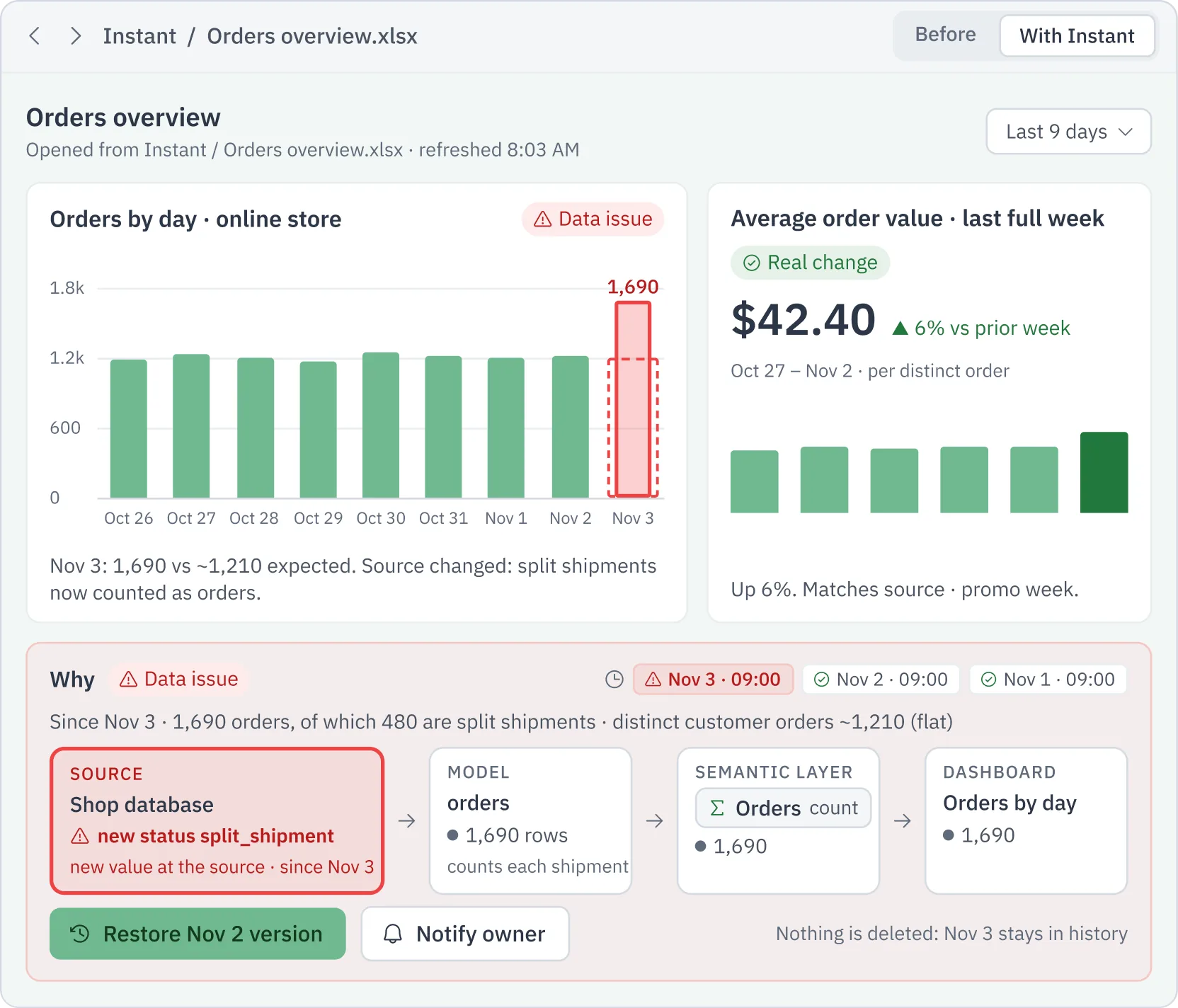
Source
Shop database
New status split_shipment, since Nov 3
Model
orders
1,690 rows, counts each shipment
Semantic layer
Orders (count)
1,690
Dashboard
Orders by day
1,690
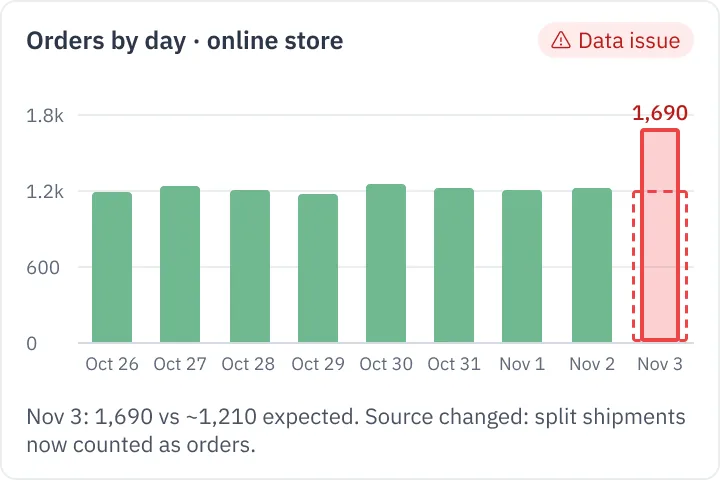
- Orders on Nov 3 are marked Data issue, not reported as a record day.
- The cause is at the source: the shop started counting split shipments as orders.
- Put the Nov 2 version back while it is fixed, and tell the owner.
The numbers a store lives on
Each one is checked as data arrives, against its own history.
- Orders
- Per day and per channel, counted once per customer order.
- Revenue
- Gross and net of refunds, in the currency you report in.
- Average order value
- Revenue per distinct order, so a split order does not halve it.
- Returns and refunds
- By reason and by product, matched to the original order.
- Conversion by channel
- From visit to order for your site, marketplace and email.
What quietly breaks them
None of these raise an error. Each one moves a number that people act on.
- A new order status
- The shop adds split_shipment, and every shipment starts counting as an order.
- A refund recorded differently
- Refunds move from the order to the payment provider as negative charges, and returns drop to zero.
- A channel renamed
- A marketplace channel gets a new name, and its history splits in two.
- A currency added
- Orders in a second currency are summed with the first, and revenue jumps.
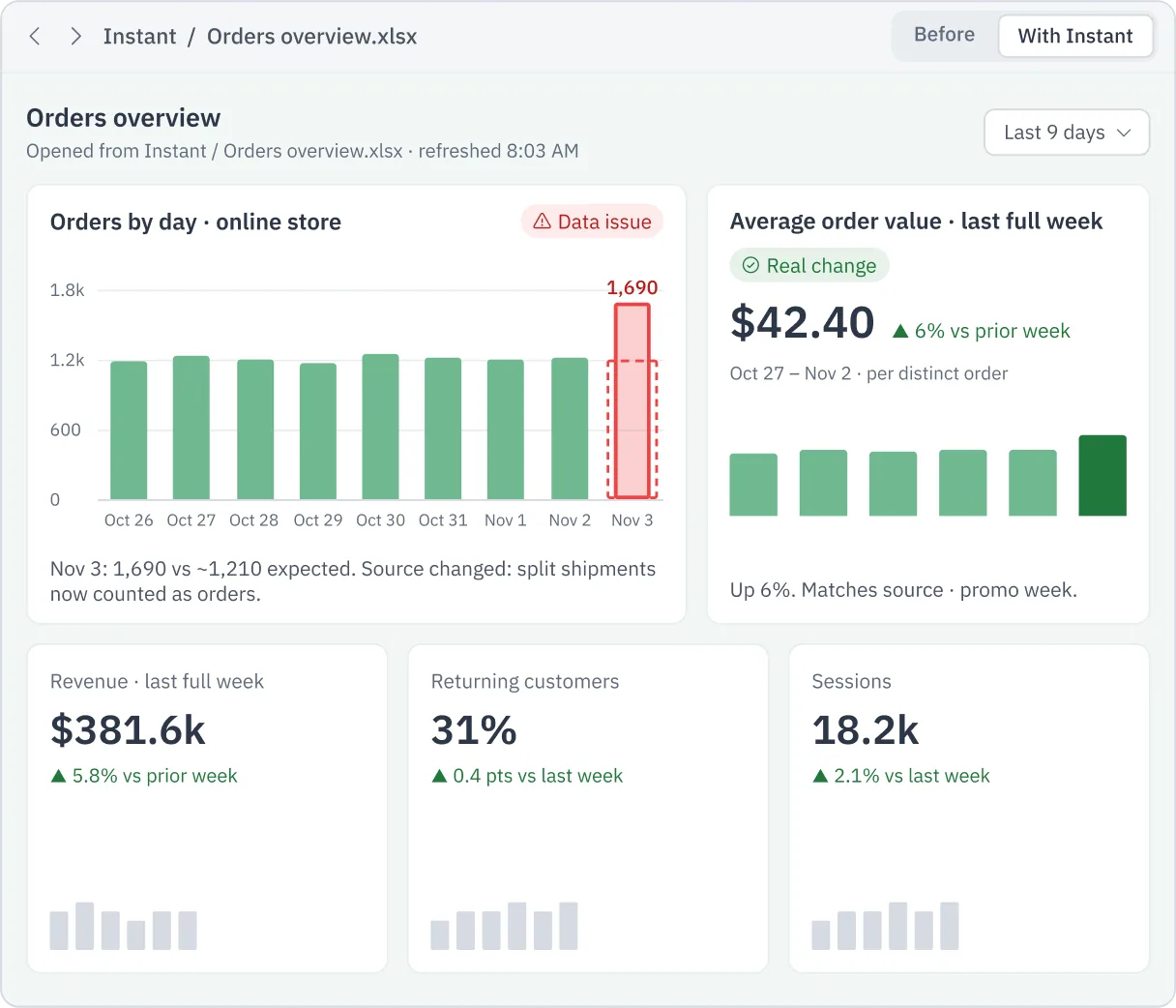
A promo week is not a data issue
Both numbers moved the same week. Only one of them should be acted on.
- Average order value up 6% in the promo week: it matches the source, so it is a real change.
- Orders up 40% the same week: split shipments counted as orders, so it is a data issue.
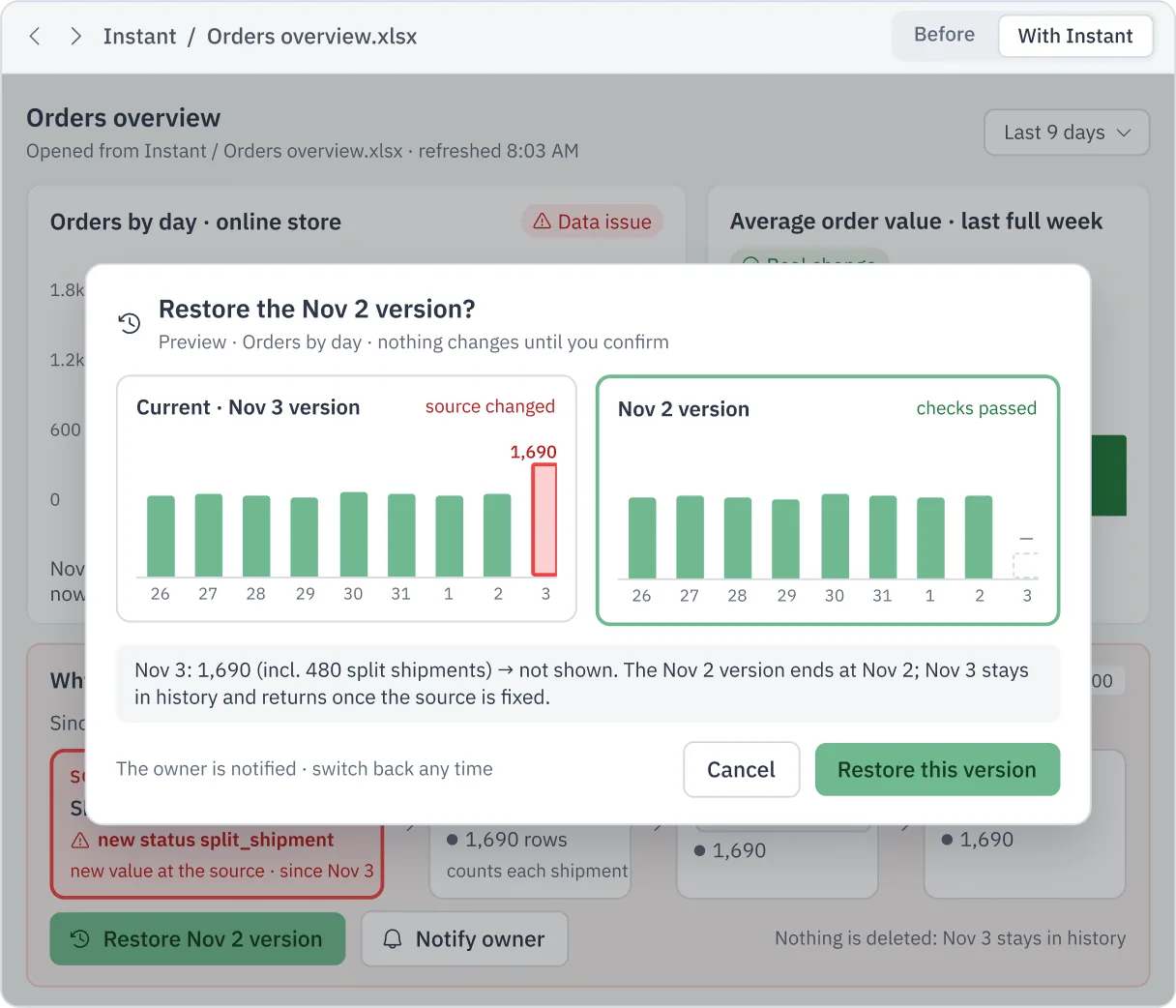
Keep reporting while the source is fixed
Every load is kept as a version. Preview the last trusted one next to the current one, then restore it.
- The Nov 2 version beside the current one.
- Nothing changes until you confirm.
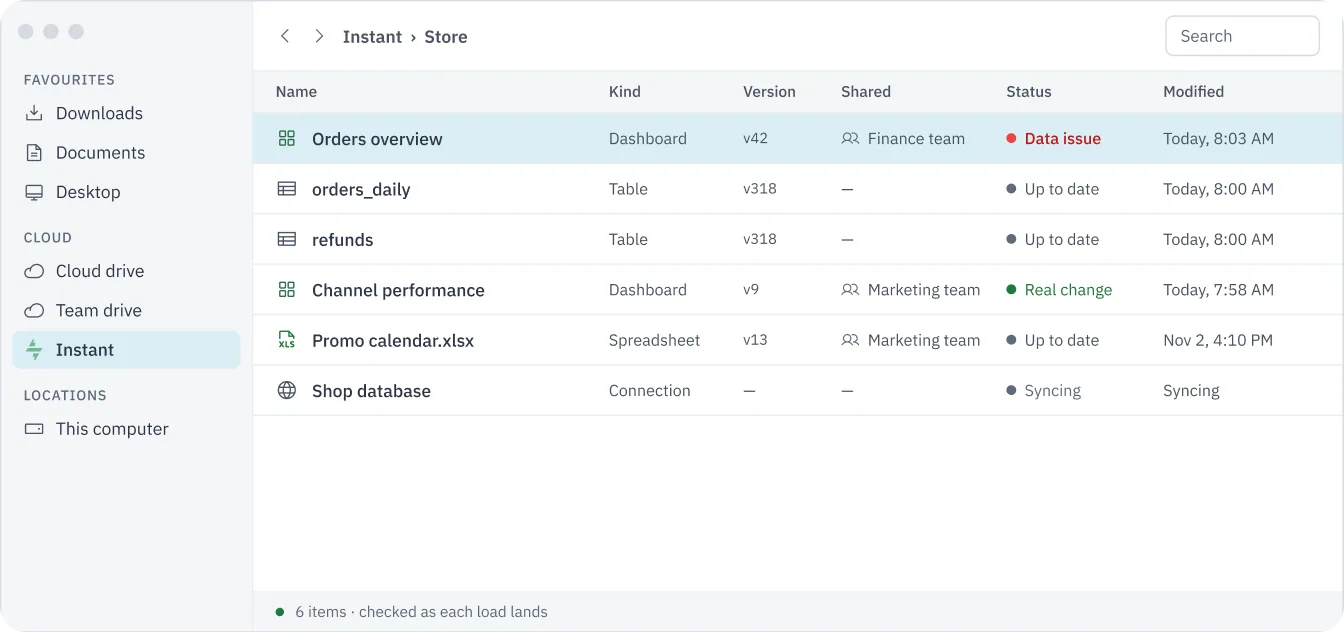
Your store numbers, as files the team shares
Orders, refunds and channel reports sit in a Store folder. Finance and marketing open the same files, in a dashboard or in Excel.
- The Shared column shows who sees each file; the promo calendar goes to marketing.
- The Status column flags a data issue before anyone opens the file.
One week in a store
Sample data. Figures are illustrative.
Tuesday: refunds drop to zero
Marked Data issue. Refunds now arrive from the payment provider as negative charges, not on the order.
Wednesday: email conversion up 12%
Marked Real change. It matches the source and the newsletter that went out that morning.
Thursday: back to normal
The owner is notified, the refunds rule is updated, and the next load shows refunds again.
See it on a store like yours
Open a demo workspace with sample store data, or talk to us about your shop.